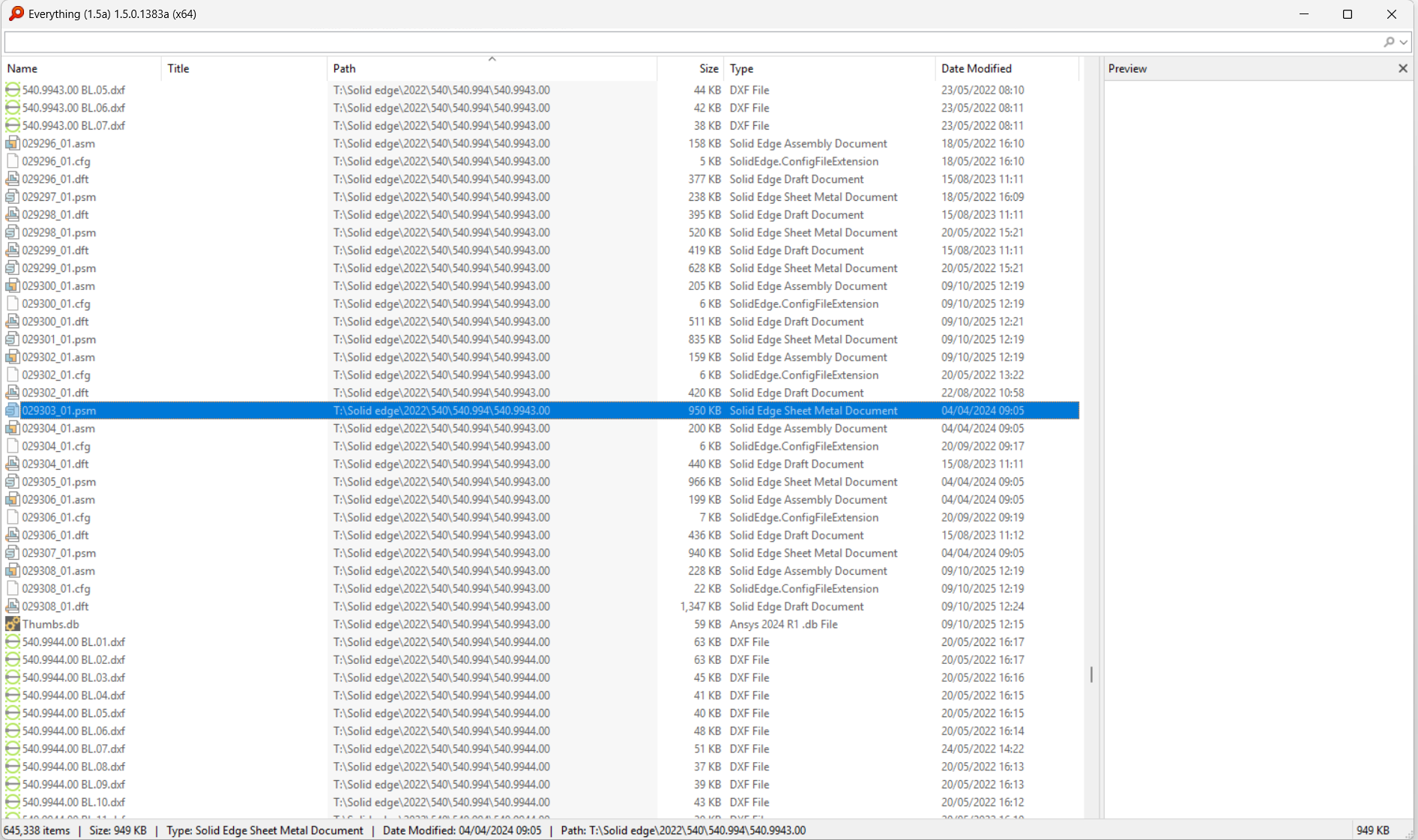
DrawingManager vs. Voidtools Everything: File Search Speed vs. Engineering Retrieval
Voidtools Everything is unbeatable for lightning-fast filename searches. But when engineers need to find the right drawing based on Solid Edge properties and metadata, a search-first library tool like DrawingManager serves a different purpose.
If you work with large Solid Edge libraries, you’ve probably tried Voidtools Everything. It’s incredibly fast at finding files by name and path. But once your needs go beyond “find a file,” engineering workflows start asking for something different: find the right drawing based on what’s inside it.
That’s where DrawingManager fits.
This post compares both tools in a practical, engineering-focused way so you can pick the right one (or use both together).
What they’re built for
Everything (Voidtools)
Everything is optimized for one thing: finding files and folders on NTFS drives extremely quickly by indexing file system metadata (names and paths). It is extremely fast and sets the benchmark for filename-based search performance.
Best at:
- Finding files by name / partial name
- Wildcards and quick filtering
- Huge disks with millions of files
Not built for:
- Reading CAD file properties in bulk
- Engineering-specific metadata filtering
- Combining multiple metadata conditions to narrow results
DrawingManager
DrawingManager is optimized for engineering libraries where filenames are not enough. It indexes Solid Edge files and their properties, exposing them as searchable and filterable fields—including custom columns—so you can retrieve drawings based on real engineering metadata.
Best at:
- Searching by Solid Edge properties (not just filename)
- Combining multiple filters at once
- Filtering and sorting on engineering metadata
- Custom columns (user-selected “promoted” properties)
The key difference: Single search vs. combined filtering
Here’s a realistic scenario. You remember a part has:
- Material: Stainless steel
- Project number: 24-017
- Thickness: 3 mm
- Customer: ACME
…but the file name looks like:
PRT_10393_final_v7.par
With Everything
You can search based on filename and folder path. If the project number or customer name appears in the name or path, you’ll find it instantly.
But if that information only exists inside the Solid Edge properties, Everything cannot filter on it. You may need to search broadly and manually inspect multiple files to verify the correct one.
With DrawingManager
You apply combined filters directly on indexed properties:
- Project = 24-017
- Customer = ACME
- Material = Stainless Steel
- Thickness = 3 mm
Each filter immediately reduces the result set. Instead of opening multiple candidates, you narrow the list to exactly the parts that satisfy all conditions.
When custom properties are promoted as dedicated columns inside DrawingManager, searches operate on indexed fields. In practical libraries of around 250,000 Solid Edge files, combined queries return in well under 200 milliseconds. While Everything remains unmatched for raw filename search speed, metadata-driven searches in DrawingManager feel instant in day-to-day engineering use.
Feature comparison
Search scope
- Everything: file system metadata (name/path)
- DrawingManager: file system + indexed Solid Edge properties + custom columns
Combined filters
- Everything: limited to name/path logic
- DrawingManager: multi-column filtering (Project + Customer + Revision + Material + Custom fields simultaneously)
Speed
- Everything: extremely fast for filename/path searches
- DrawingManager: sub-200 ms metadata queries on large libraries once indexed
Result handling
- Everything: file list; open and inspect manually
- DrawingManager: structured library view with sortable and filterable engineering columns
The most practical setup: use both
Many engineering teams use both tools:
- Everything to instantly locate files or folders when the name is known.
- DrawingManager to retrieve the correct drawing when multiple engineering conditions must be satisfied.
They solve different problems.
Bottom line
If your biggest pain is “Where is that file?”, Everything is unbeatable.
If your biggest pain is “Which drawing matches all these engineering conditions?”, DrawingManager is built specifically for that.